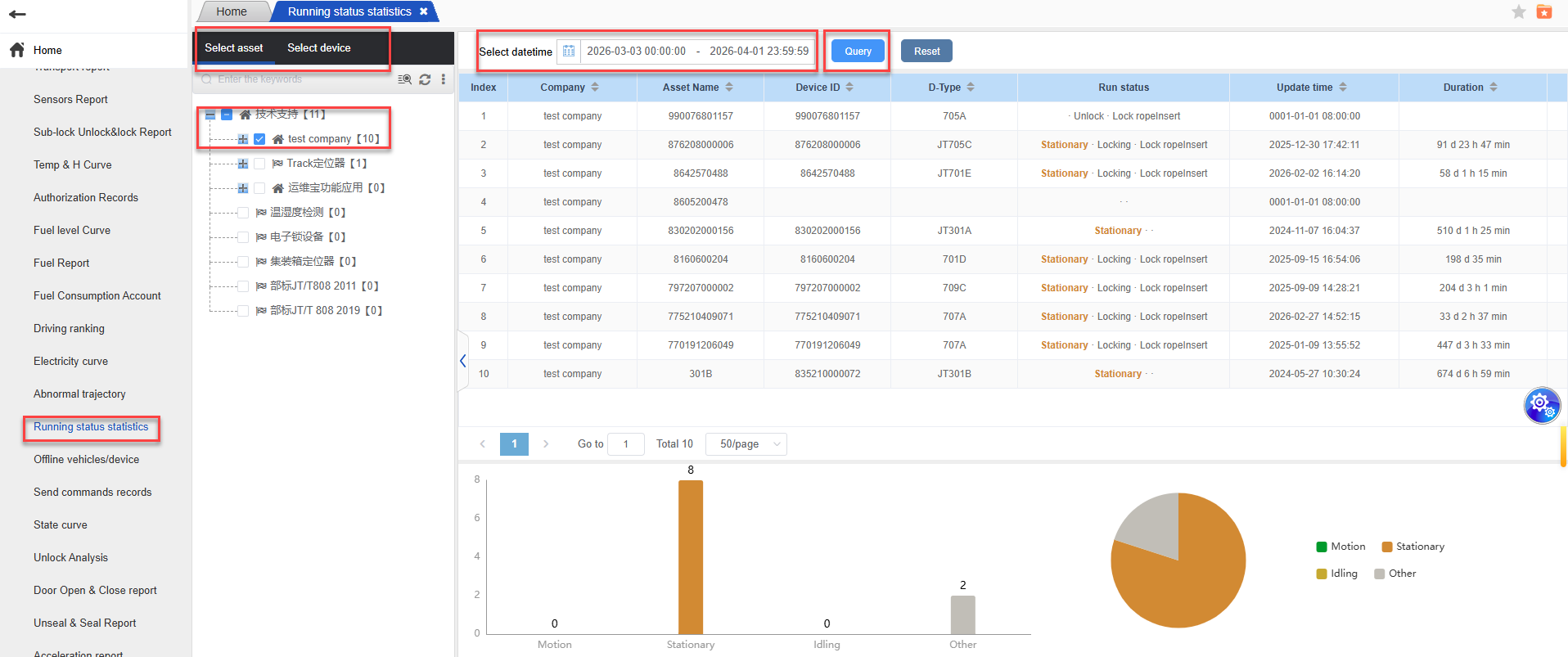
The running status report is designed for the JT701D device. It is used to view and record the operation status of the terminal, including running, stopping, idling, and others. It is also presented in the form of data reports, bar charts, and pie charts.
1.Operation steps: Enter the running status statistics report; Select the asset or device -> Choose the date and click on “Query” -> The terminal data of the company that matches will be displayed; The upper part shows the running status data through data display, while the lower part presents the running status data in the form of bar charts and pie charts.
文档更新时间: 2026-04-01 17:30 作者:梁蒙