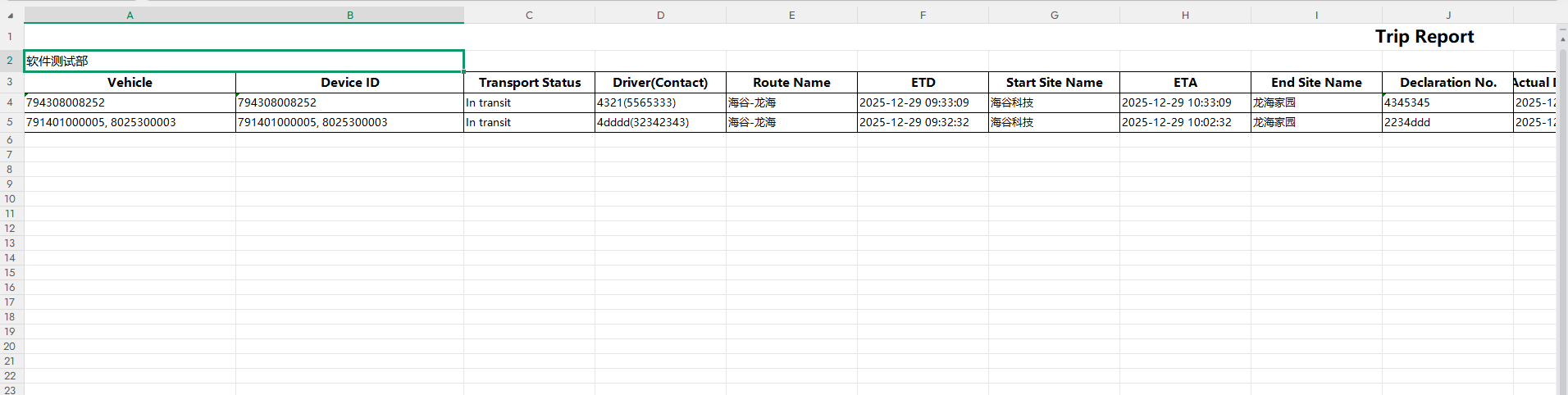
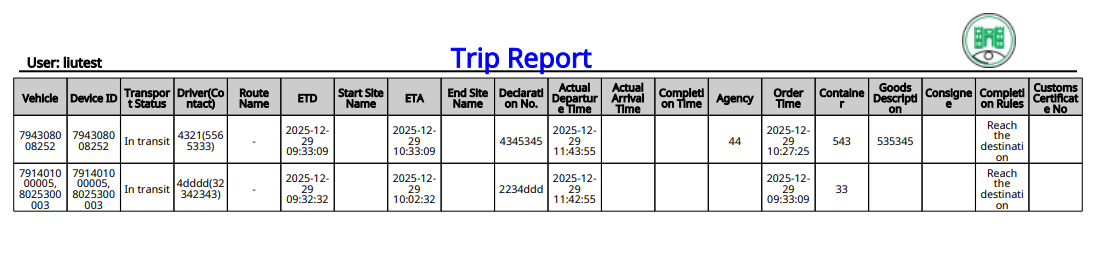
The “Waybill Report” module is a data statistics and export module for transportation. It supports filtering waybills by criteria, viewing key indicators (alarm/event count, etc.), and exporting standardized reports to meet the data analysis and compliance archiving needs of international logistics.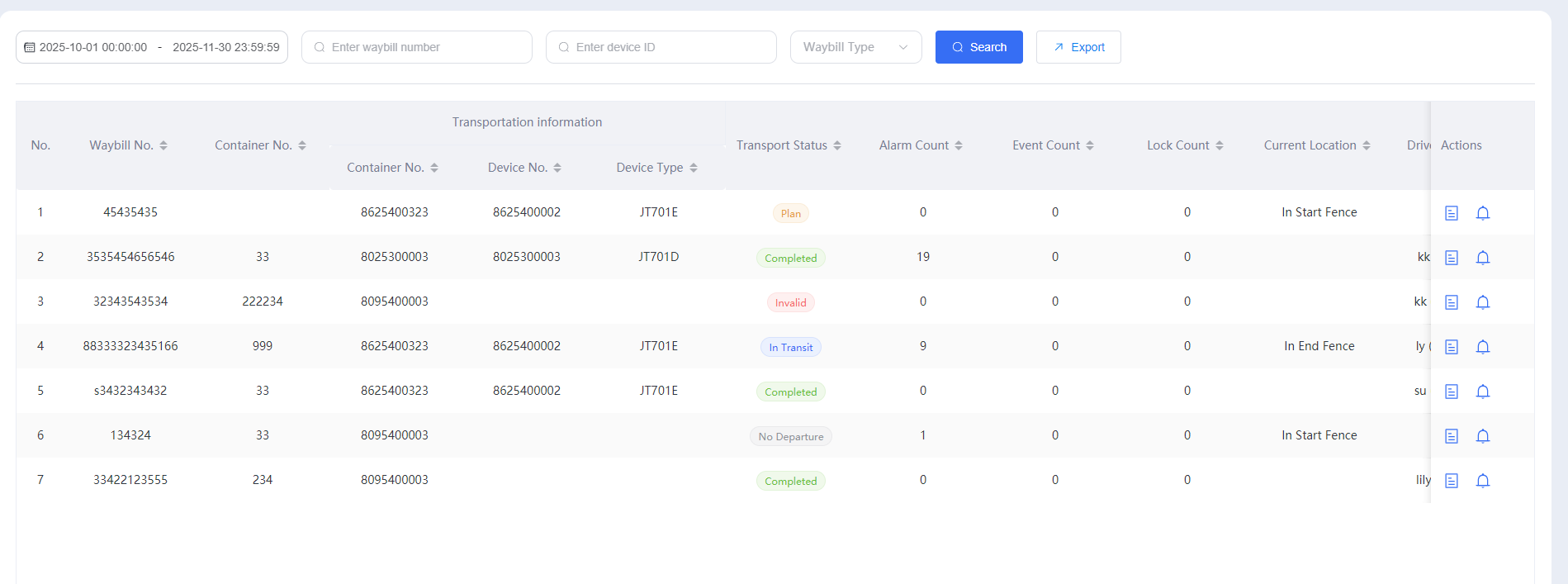
Interface Area and Operation Guide
The interface follows a logical layout of “Filter - List - Operation,” conforming to the international user’s operating habit of “precise filtering first, then viewing data”:
- Top: Filtering and Export Area
Time Range Selection: The default display shows data from “2025-10-29 to 2025-11-27.” Clicking the date box allows you to customize the time range;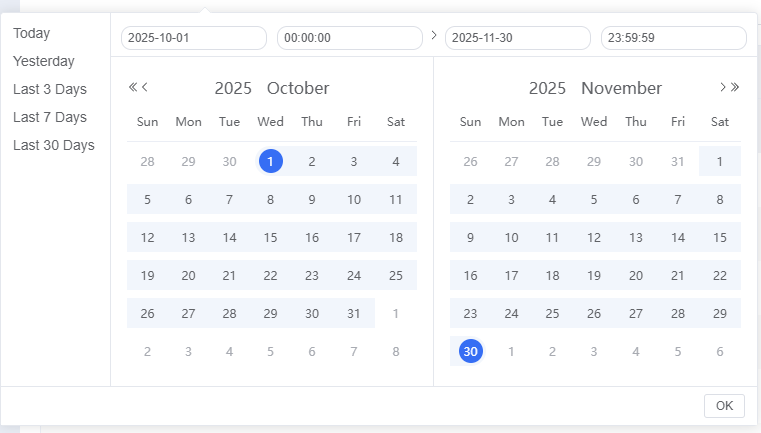
Precise Search:
Waybill Number Search: Enter the waybill number in the “Please enter waybill number” box to locate a specific waybill;
Device ID Search: Enter the device ID in the “Please enter device ID” box to filter waybills associated with that device;
Status Filtering: Click the drop-down menu to select the waybill status (Not dispatched / In transit / Scheduled / Completed / Voided) to filter the corresponding data type;
Query and Export:
Click the “Query” button to load waybill data that meets the filter criteria;
Click the “Export” button to export the current list data as a standardized file (compatible with international office formats).
- Middle: Waybill Data List Area
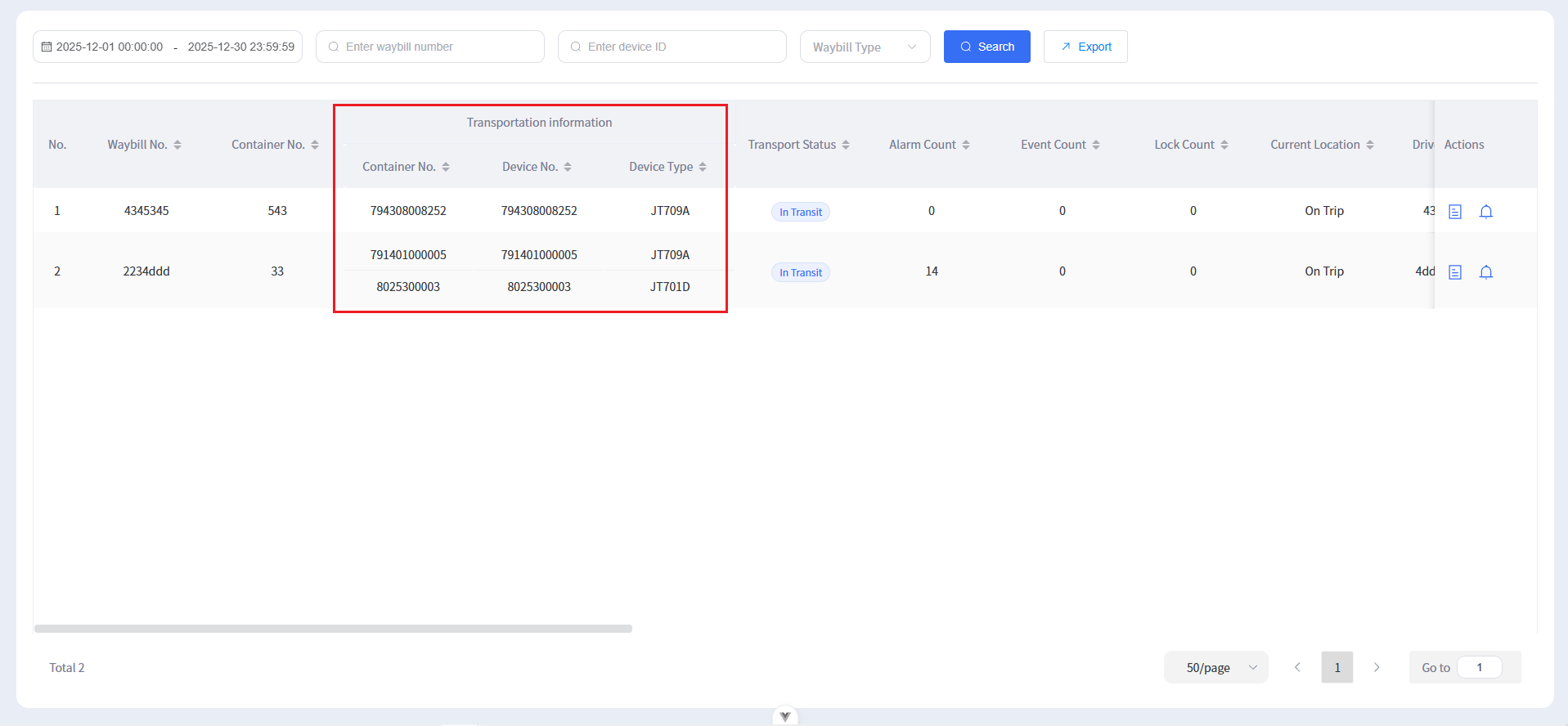
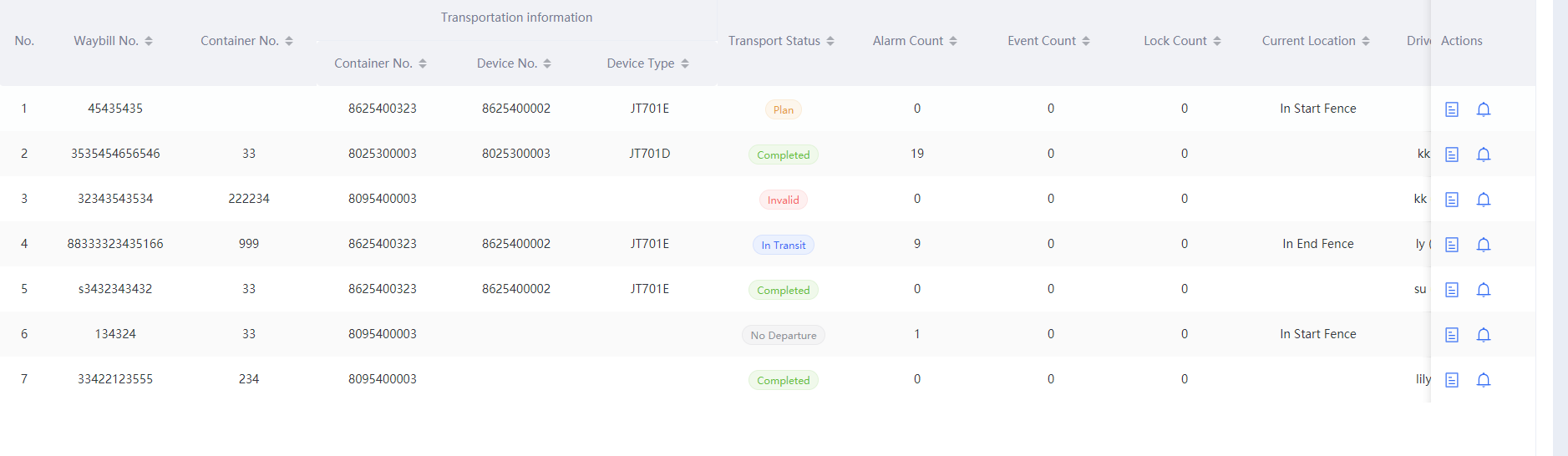
The list displays the core information of the waybill, including:
Basic Information: Transport vehicle, container number, equipment number, equipment type;
Operational Metrics: Transport status, alarm count, event count, lock/unlock count;
Execution Information: Current execution location.
- Right Side: Operation Area
Clicking the icon in the “Operation” column on the right side of the list allows you to view detailed information about the waybill (such as transport trajectory, complete event records).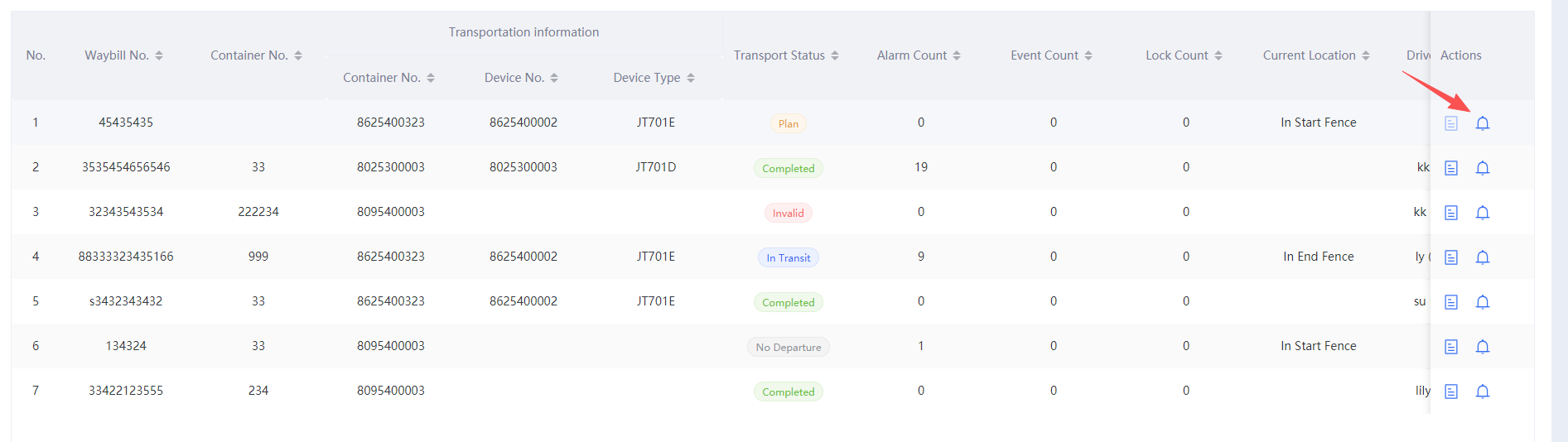
Core Value
Precise Data Filtering: Multi-dimensional condition combinations (time/waybill/equipment/status) quickly locate target data;
Metric Visualization: Aggregates key operational metrics to assist in transport efficiency analysis;
Standardized Export: Supports compliant report output, adapting to international logistics audit and reporting scenarios.
Report Export