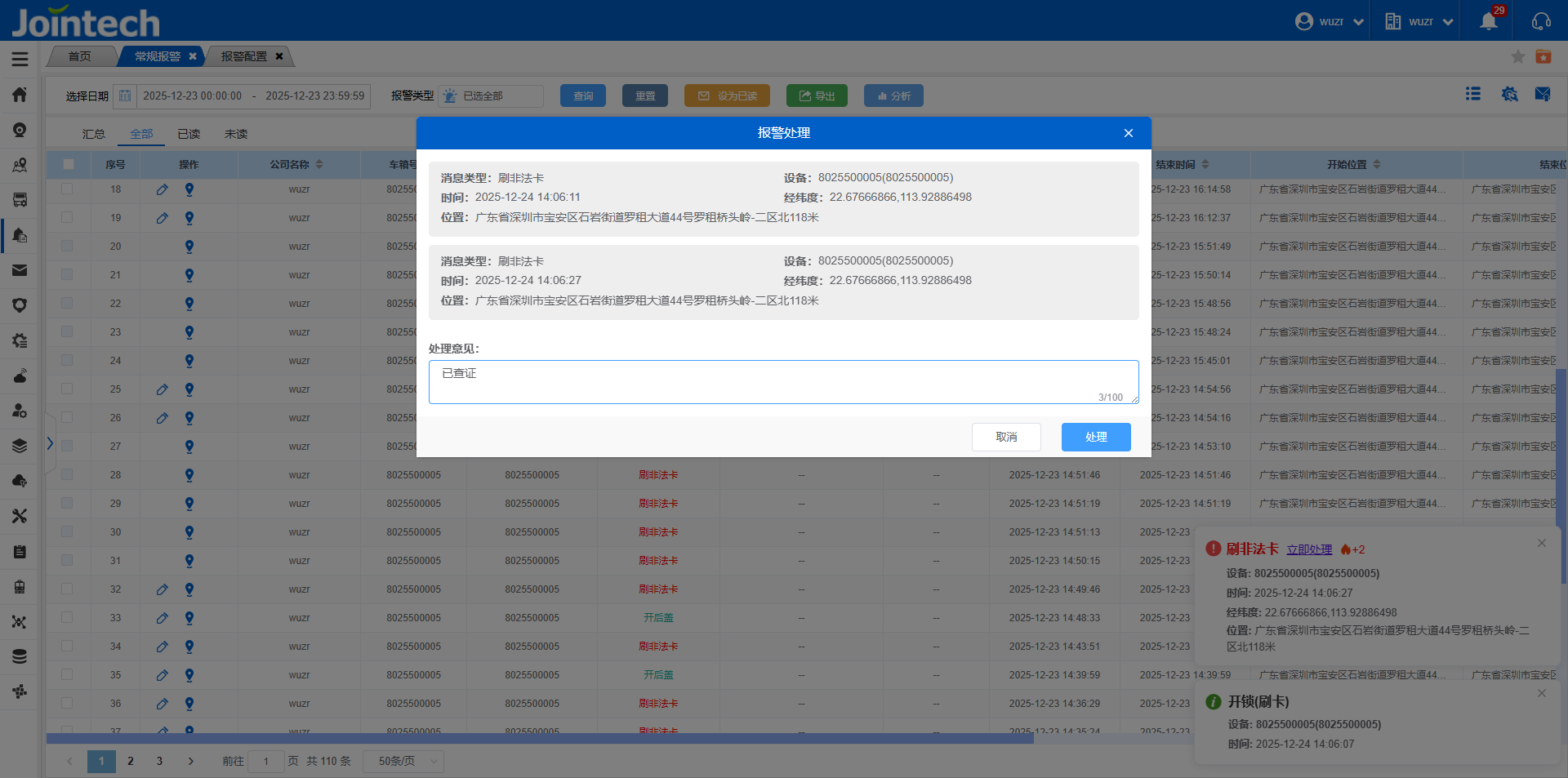
Alarm configuration is used to configure the alarm threshold of each company, whether regular alarms and active safety alarms are displayed, popped, and pushed;
Alarm parameter setting:
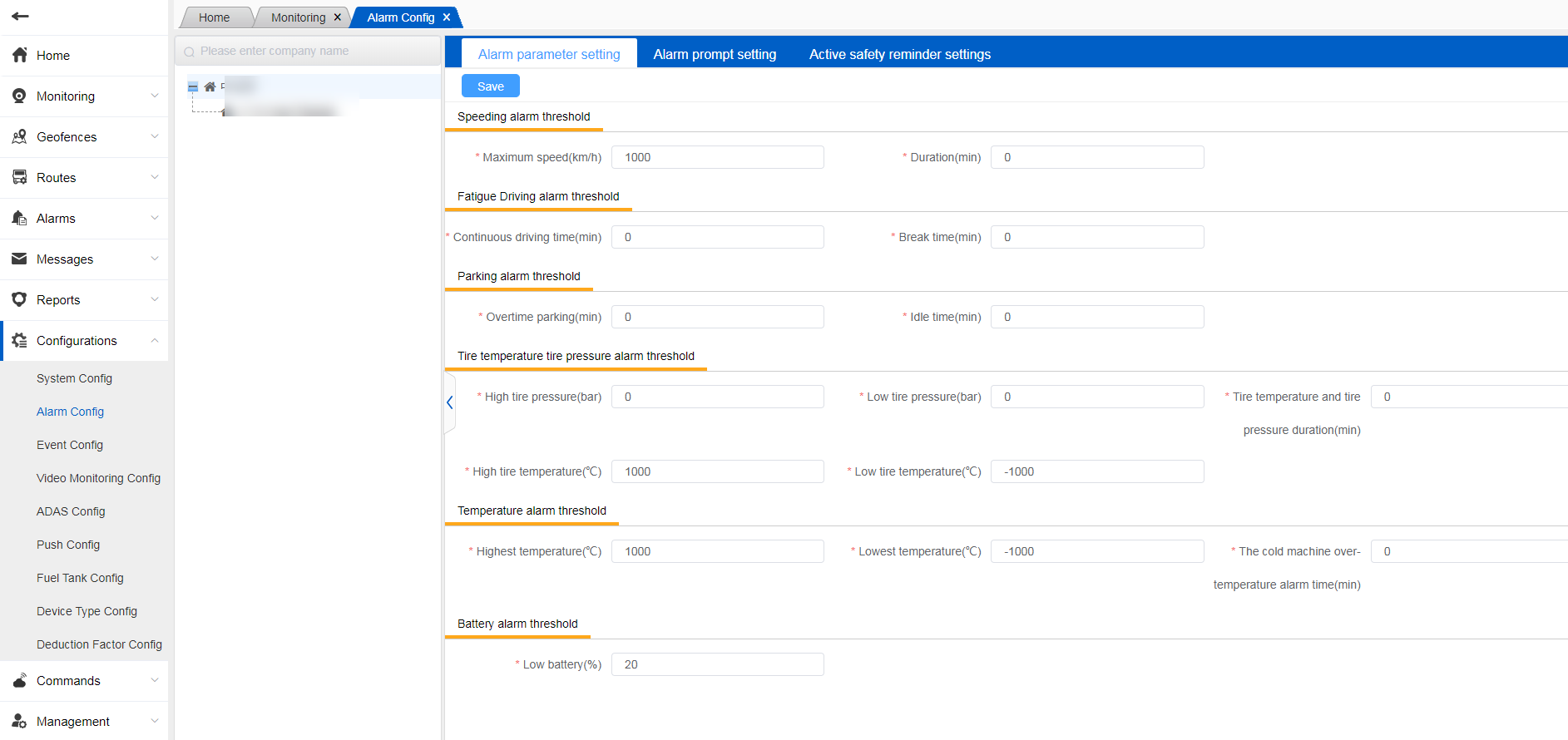
When the asset is in use, when the set alarm threshold is reached, the corresponding alarm data will be generated, which can be viewed in the general alarm.。
Alarm prompt settings:
In this page, you can configure whether to display regular alarms, and whether to display system pop-ups and APP push if displayed;
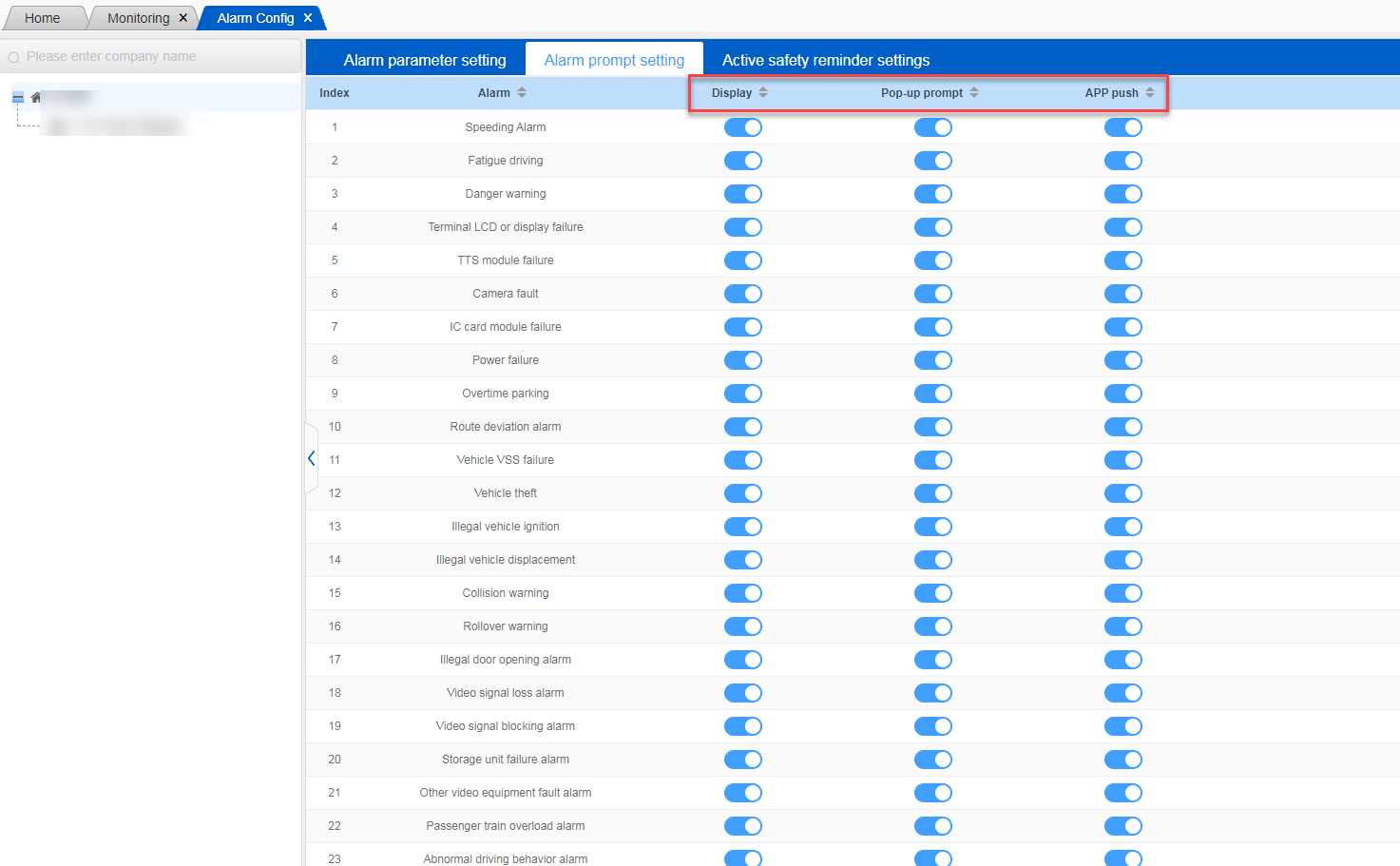
If no display is configured, the system pop-up and APP push will be closed synchronously, and the generated alarm data cannot be queried in the regular alarm.
Active safety (ADAS) alert:
On this page, you can configure whether to display ADAS alarms, and whether to display system pop-ups and APP push if displayed;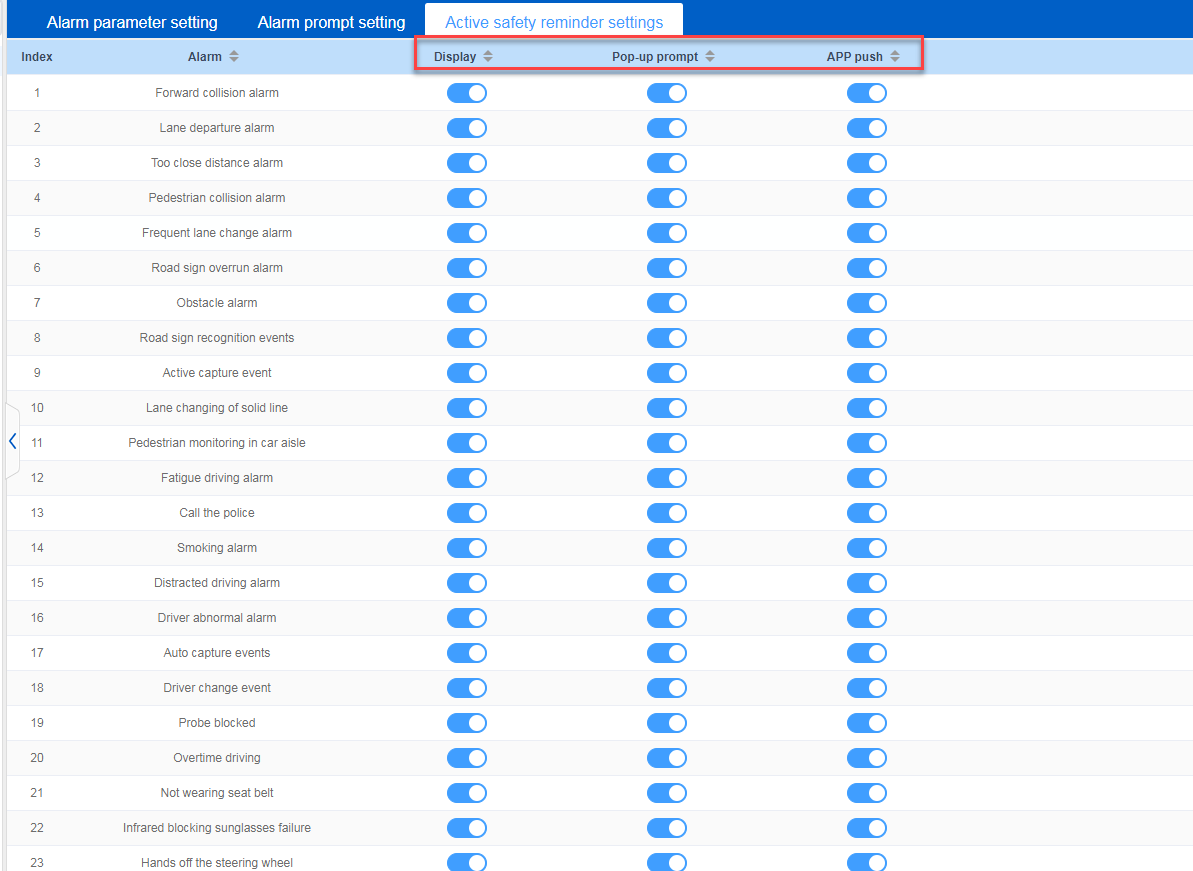
If no display is configured, the system pop-up and APP push will be closed synchronously, and the generated ADAS alarm data cannot be queried in active safety.
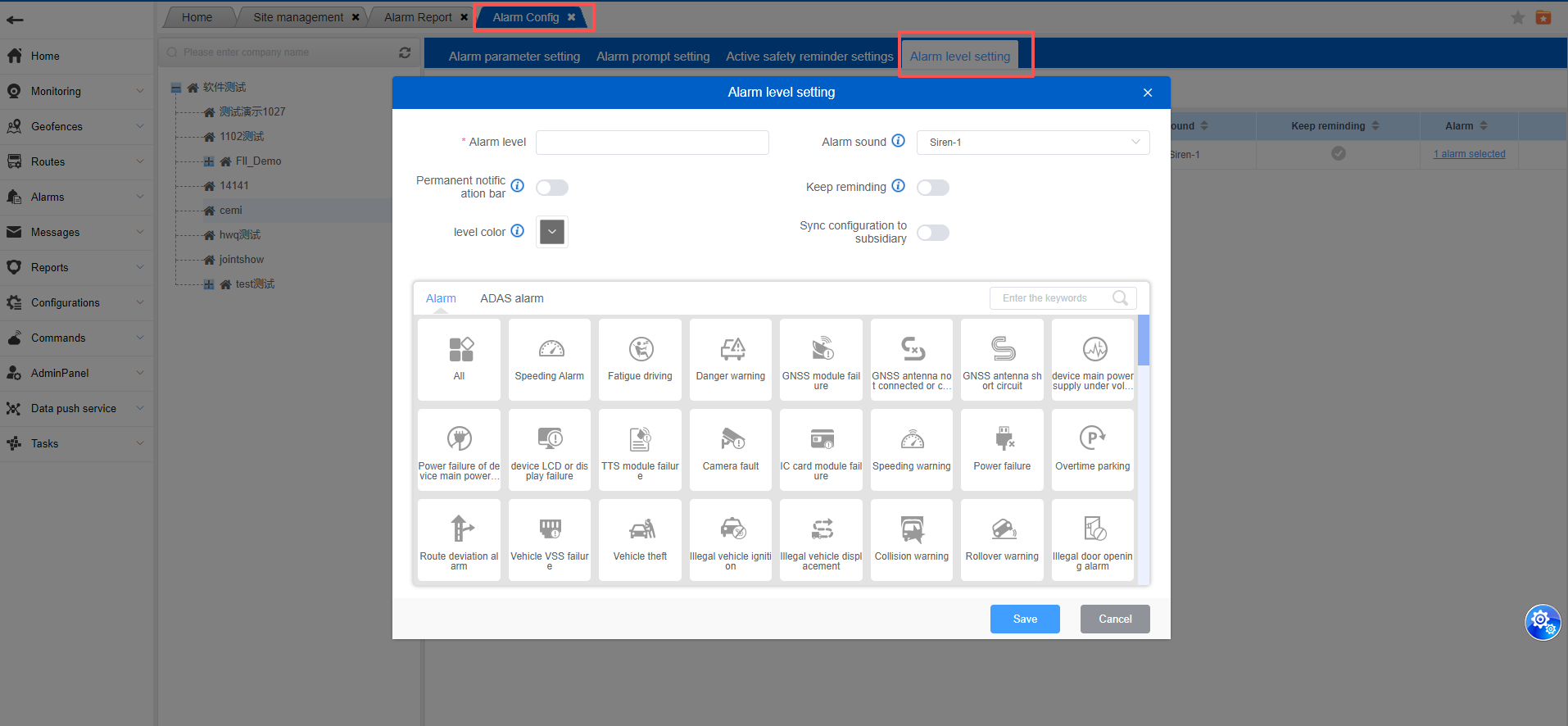
Configuration Center - Alarm Configuration. Add Alarm Level Settings
You can customize alarm level names, select specific alarm types, and make related settings:
Alarm Sound: You can set a specific alarm sound for this level. This configuration will not take effect if the alarm sound is not enabled in the system configuration.
Whether to Persist in Notification Bar: When enabled, the alarm information pop-up for this level will persist in the lower right corner of the system until the system is manually refreshed or the problem is resolved.
Whether to Continuously Play Alarm Sound: If the alarm sound is enabled, the alarm sound will play continuously until the alarm is cleared or manually stopped.
And Corresponding Level Color: Alarm types belonging to the current level will be displayed in the alarm report with the specified color.
Different alarm levels are marked with different colors in the alarm report.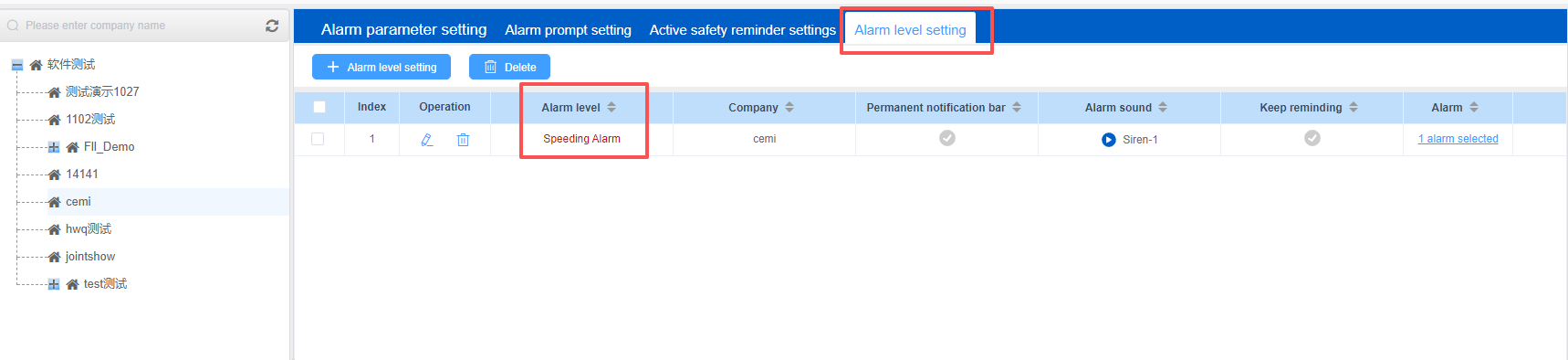
Alarms configured to persist in the notification bar will display a separate notification pop-up, showing the cumulative number of alarms (the most recent alarm message displayed in the pop-up). Unless the website is refreshed, the pop-up will only disappear after immediate action or manual closure.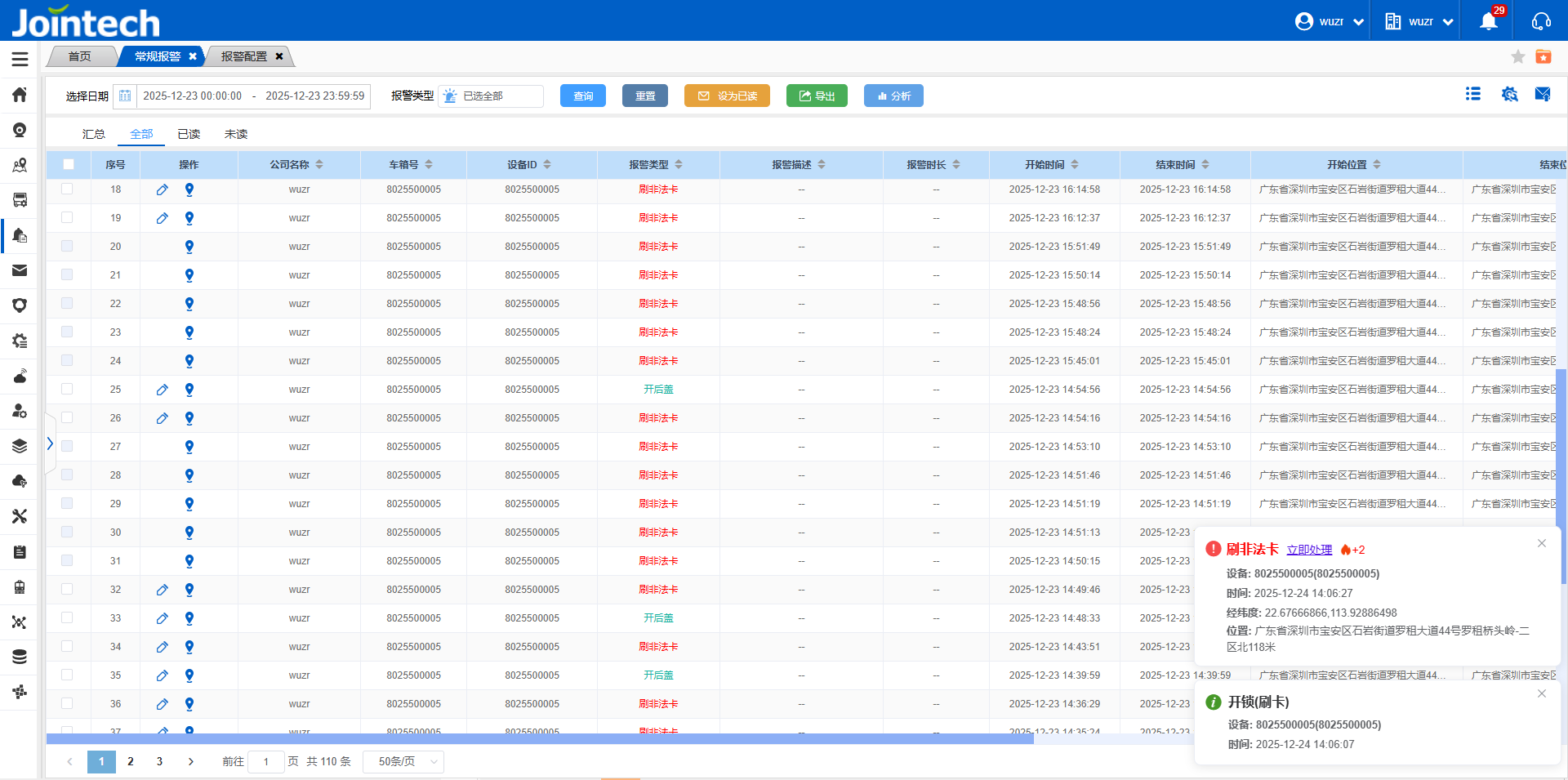
Handling multiple persistent alarms