The transportation report is used to count all the data of the dispatched vehicles;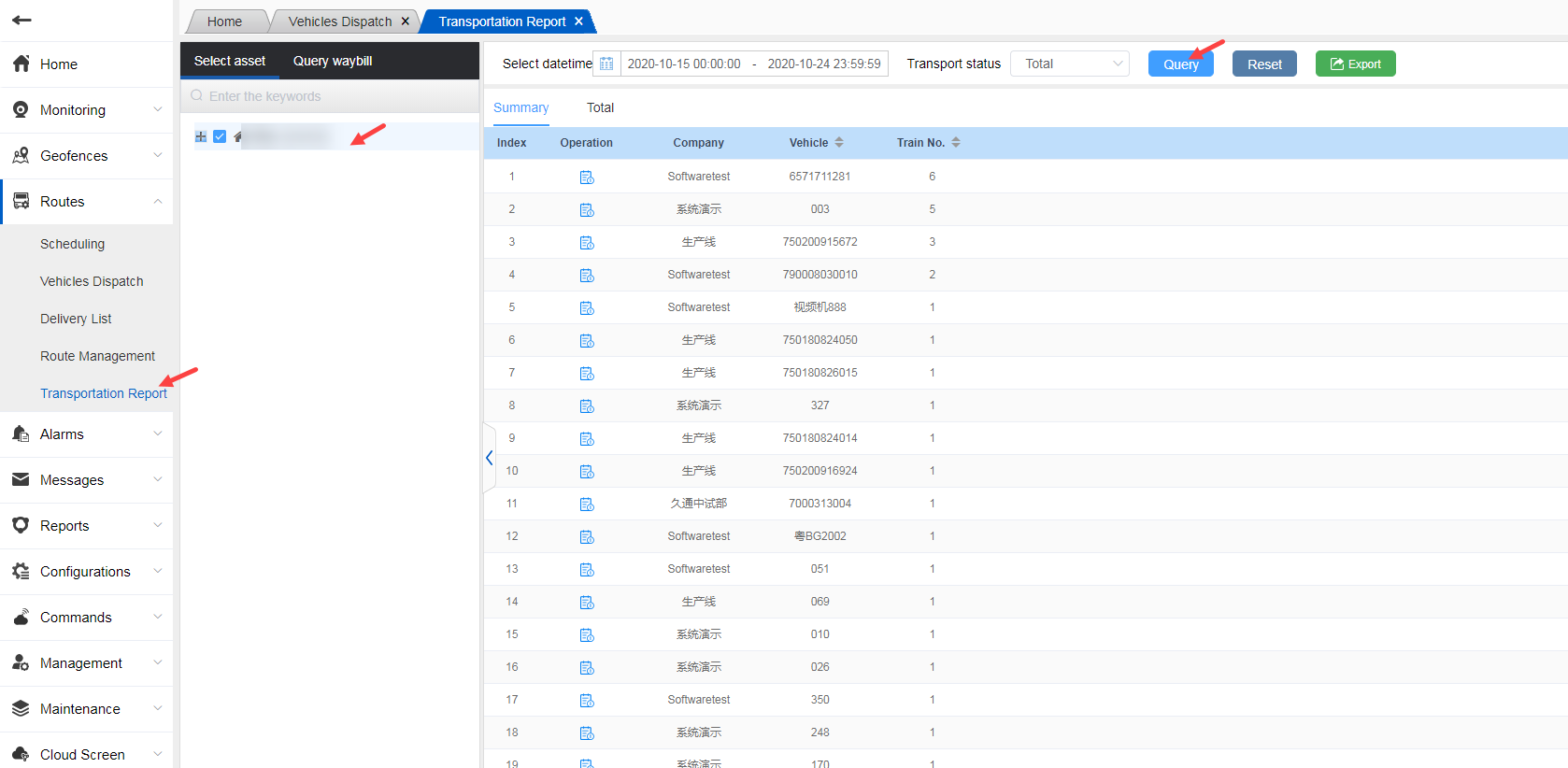
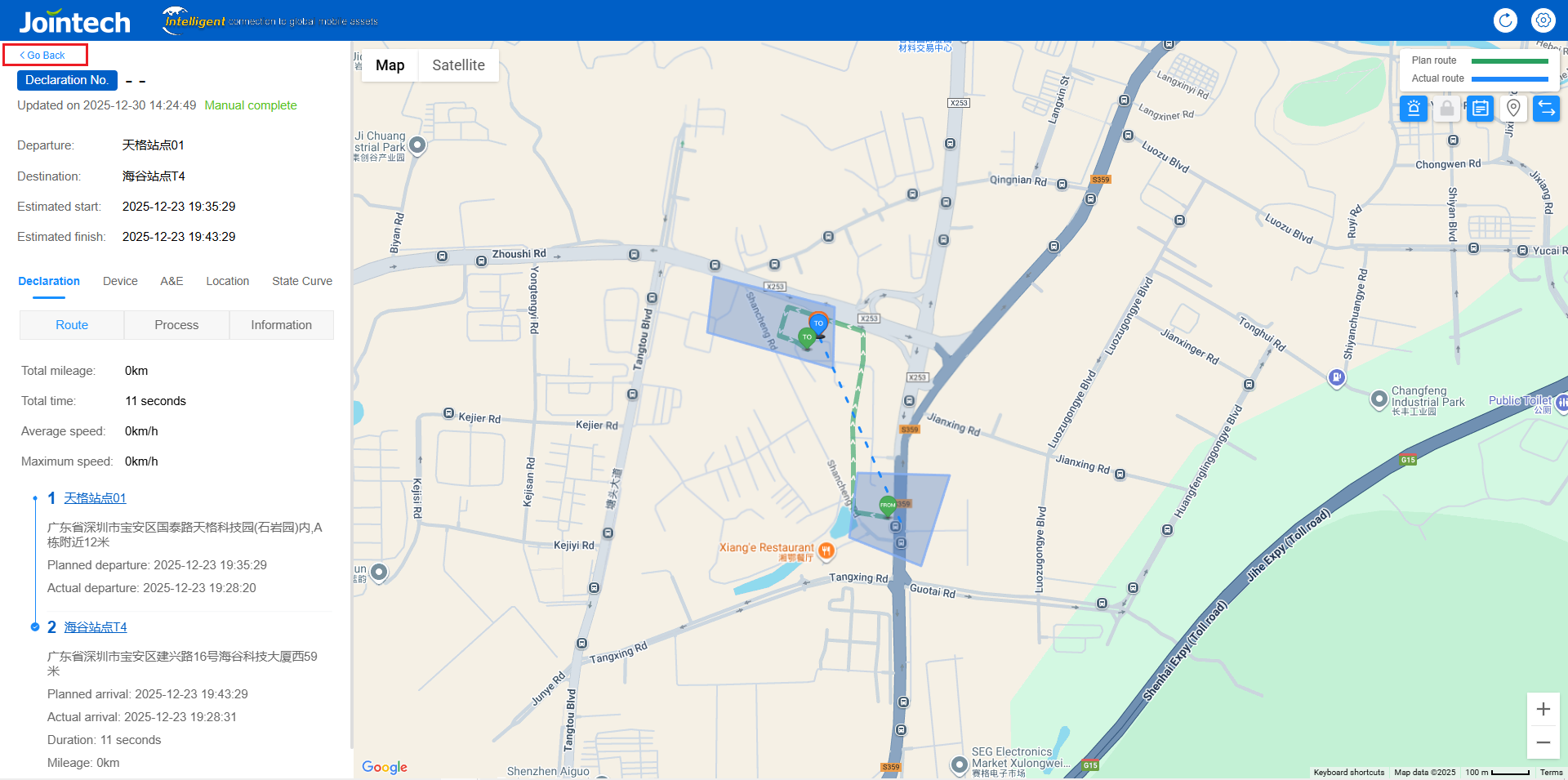
Click on the detail icon in the operation to view the detailed data of a certain vehicle, or click on all pages to view the detailed data of all vehicles;
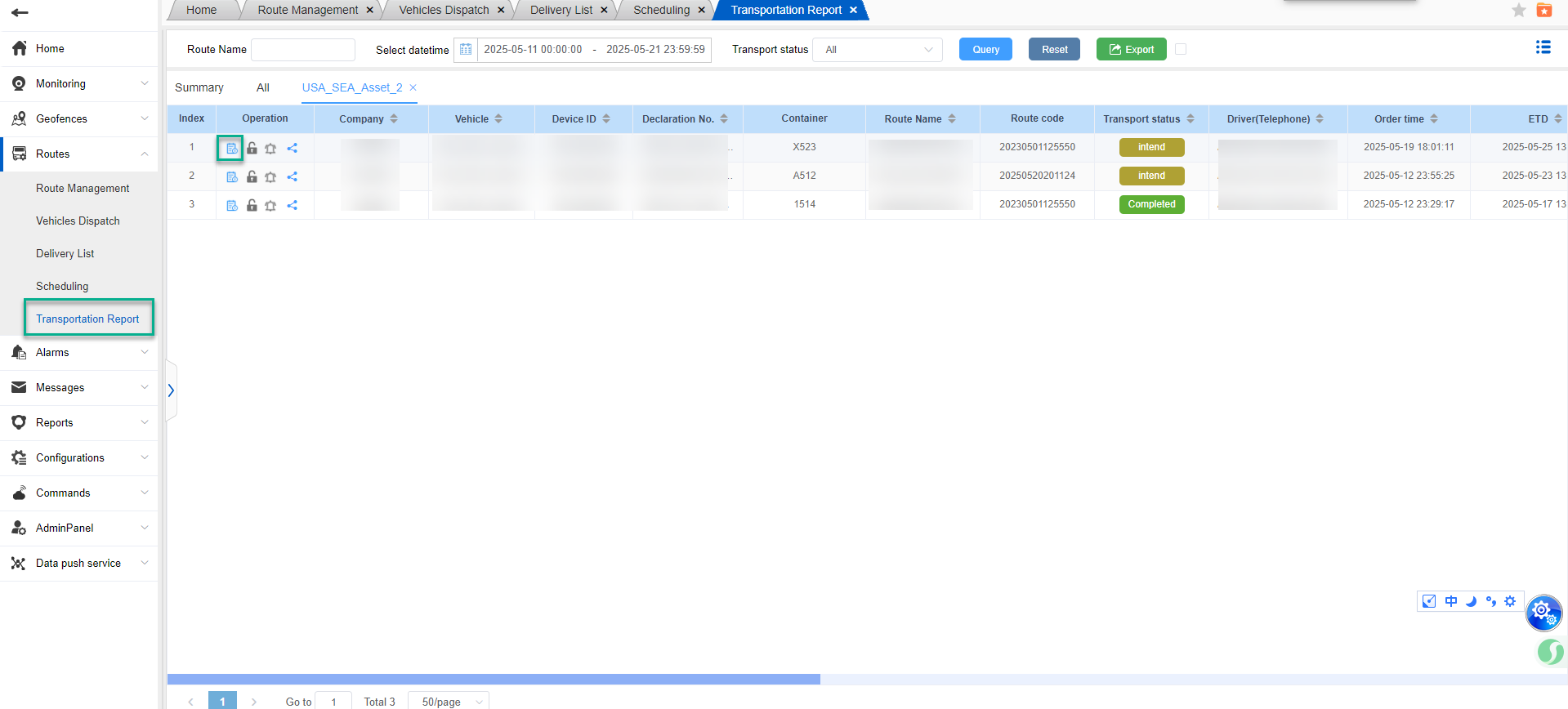
You can choose the transportation status to display the number of vehicles in different transportation states. There are three transportation states: incomplete, completed, and voided.
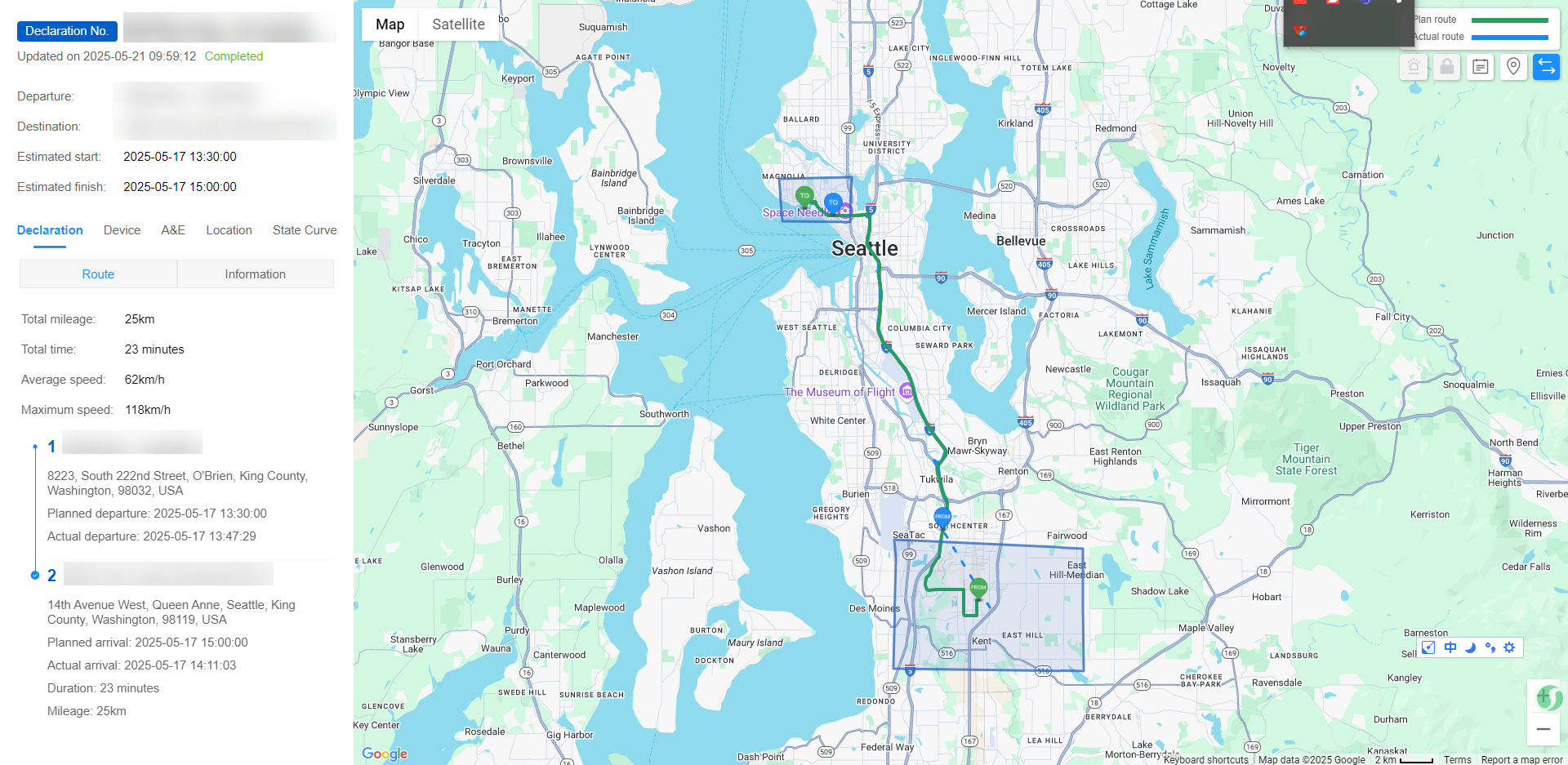
In the detailed data, the actual departure time and actual arrival time of the arrived task will be displayed;
The completed tasks will display the actual departure time, actual arrival time, and completion time, and you can intuitively see the operation of the vehicle.
Waybill Monitoring - Waybill Report.
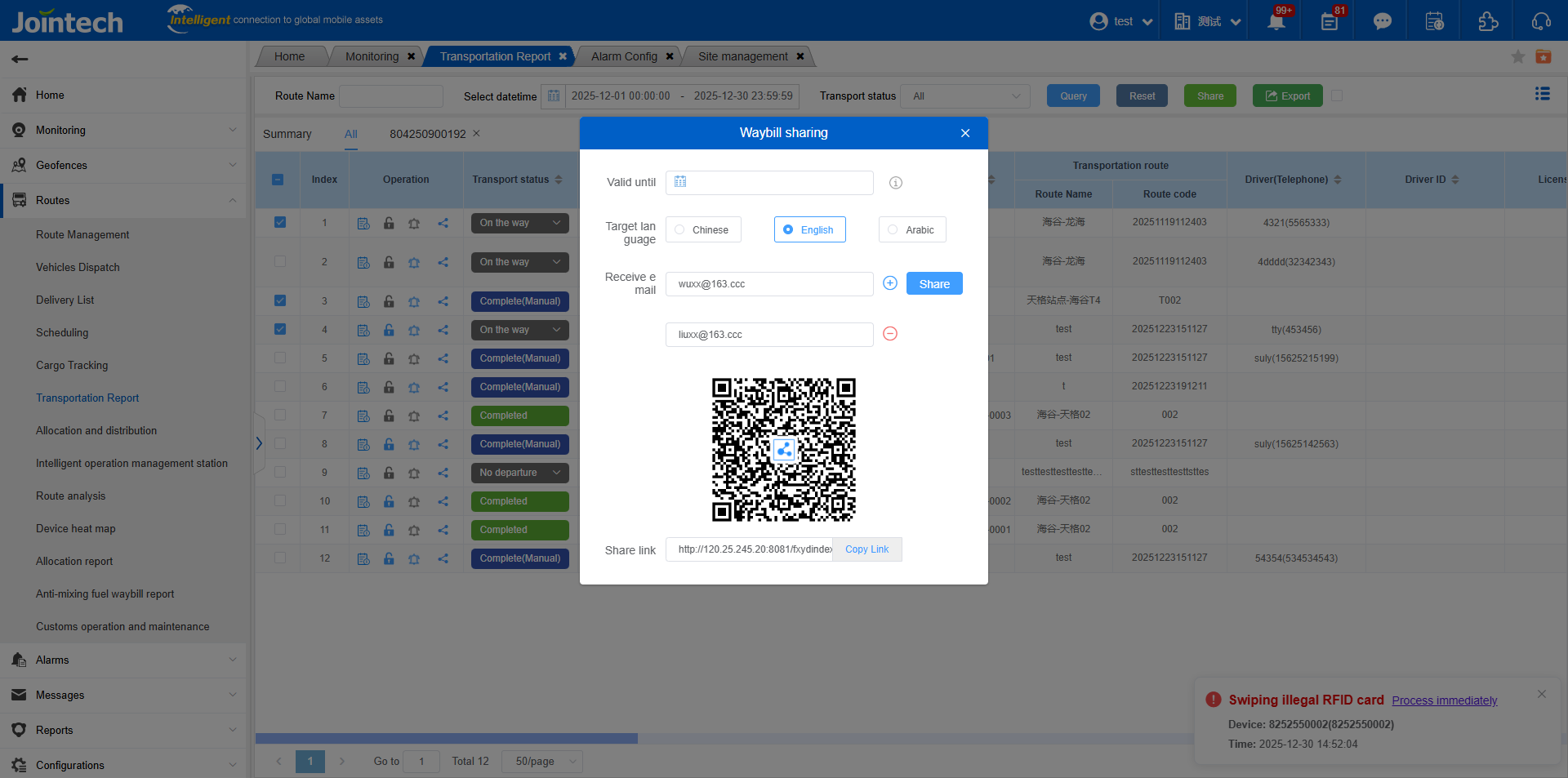
Added Multiple Waybill Sharing: You can select multiple waybills in the report, click “Share,” fill in the corresponding parameters to generate a sharing link or QR code, or share to multiple email addresses.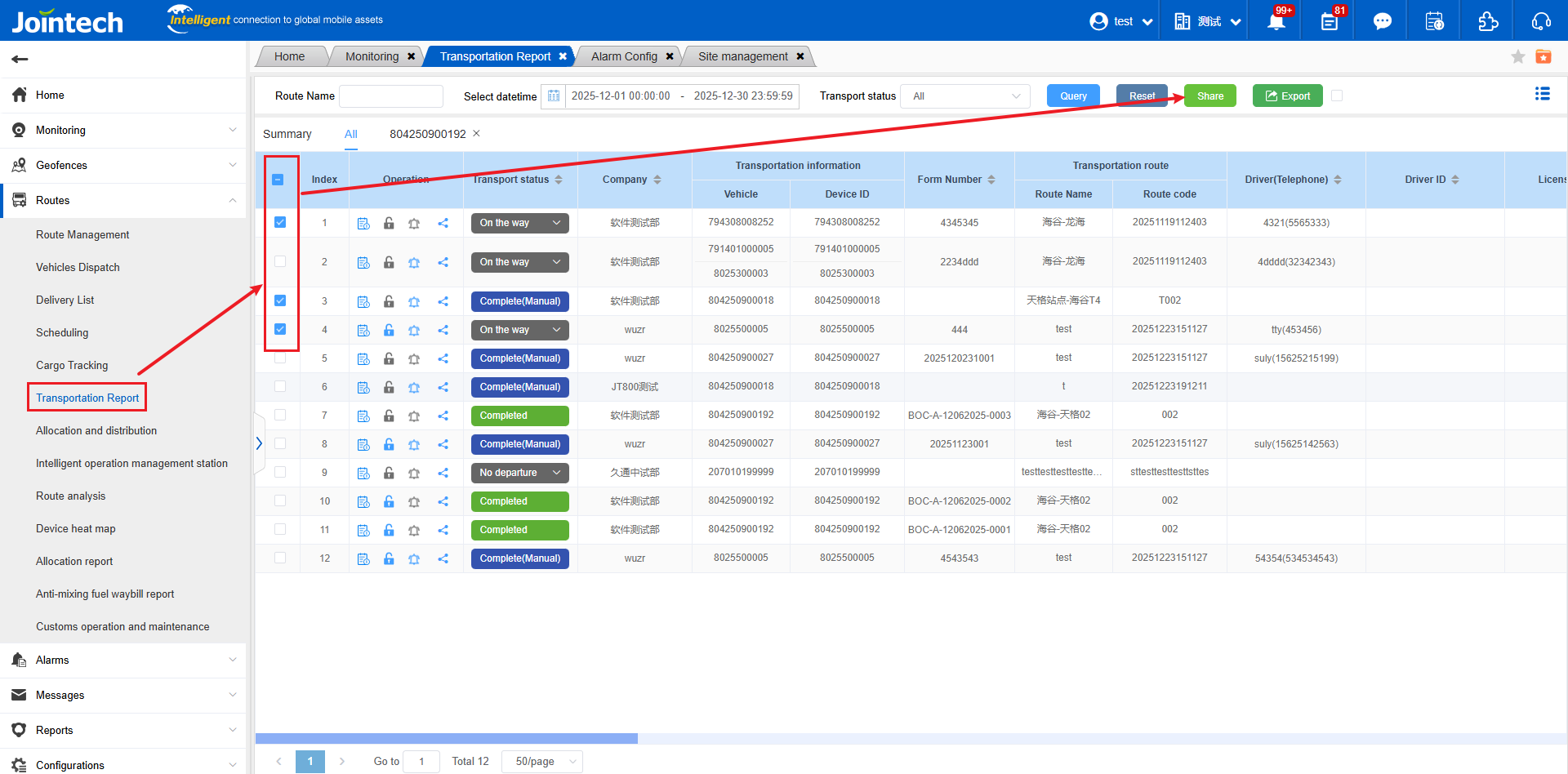
Example of sharing multiple waybill details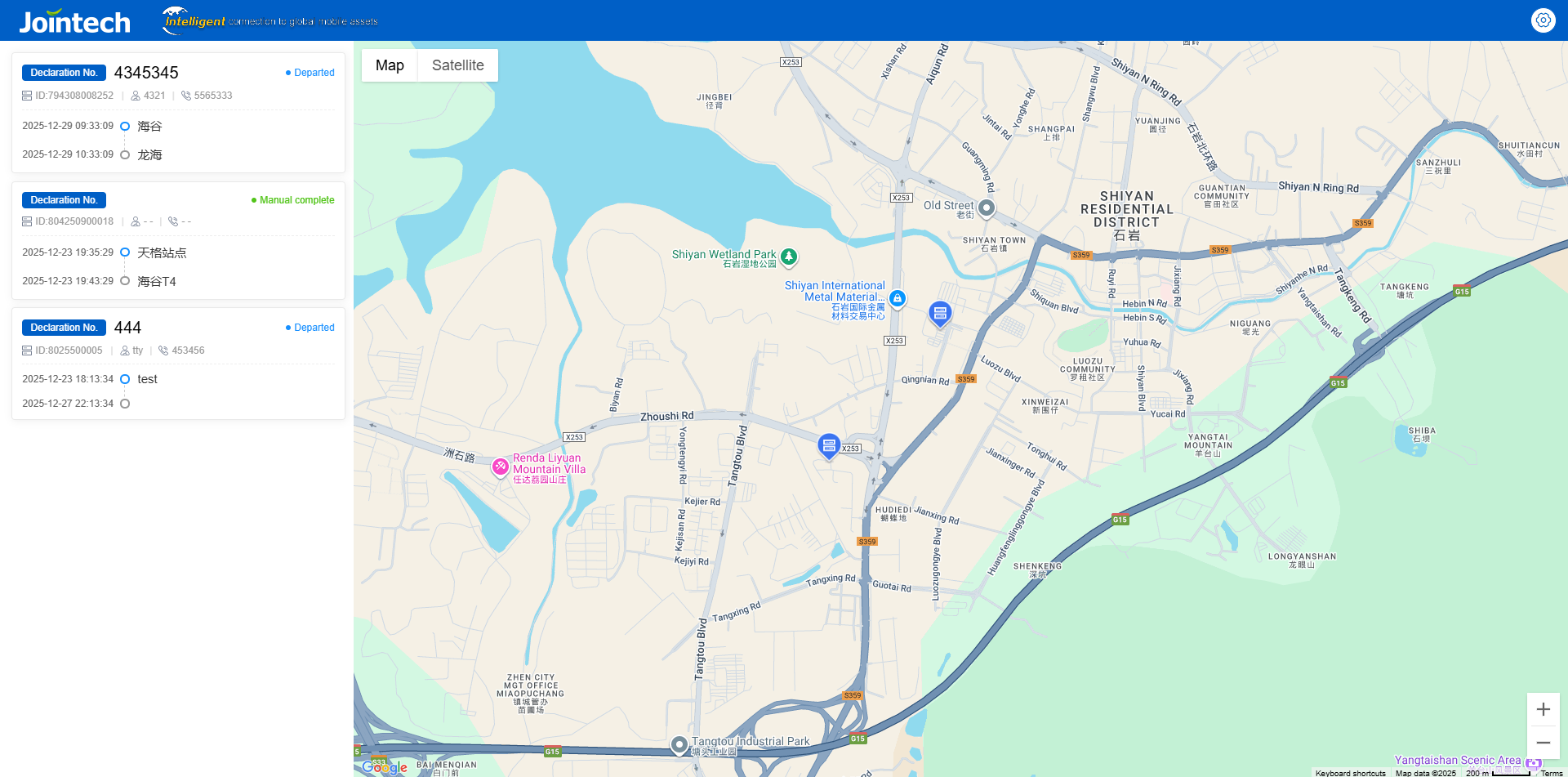
View details of a single waybill